The cloud platform for remote amateur radio.
Gateway 3 at the radio, Client 3 in your browser. Native Network Support. WebRTC Audio. No Port Forwarding.
Already have an account? Sign in
The 10-minute product film: Gateway 3, Client 3 and the portal — from your browser to any rig, anywhere in the world.
For over 30 years, I have been a proud Icom operator. My journey started with an IC-2E, and I've watched the hardware evolve into the digital masterpieces we use today. But the software? It hasn't kept up.
RS-BA1 is stuck in the past—clunky, Windows-only, and complex to configure. HamRig is my answer to that frustration. It is the platform Icom hardware deserves: modern, secure, and accessible from anywhere.
Read our Open Letter to IcomGateway 3 at the radio, Client 3 in the browser and a wave of new tools to plan, chase and work more DX — on any screen.
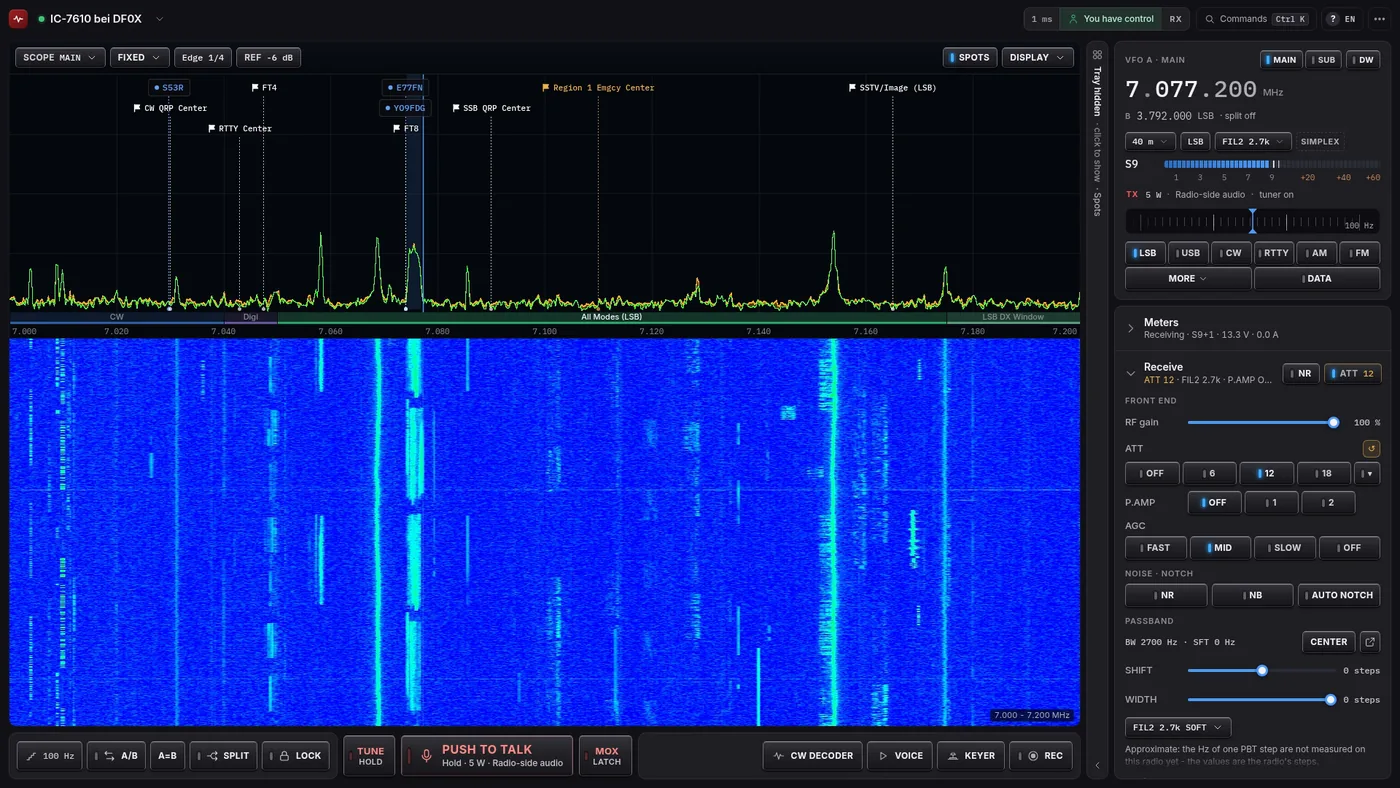
The new control client is the default since November: one client whose layout follows the window — tabs on a phone, a tray on a tablet, the full desk on a monitor. Spectrum and waterfall with smoothing and digital phosphor, dual scope, the radio's own scope edges, band stacking registers, a passband window, a control seat that says who operates, and a Station panel for the accessories linked to the radio.
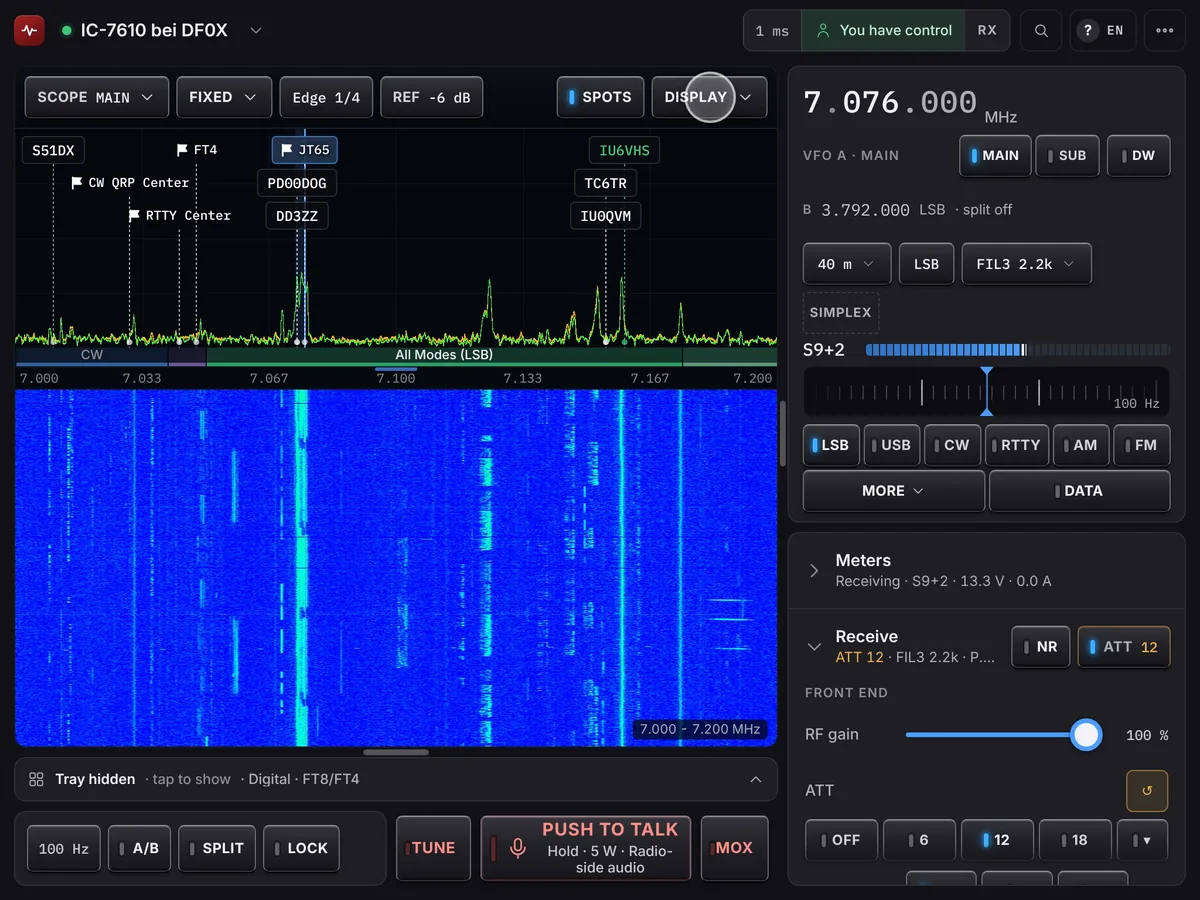
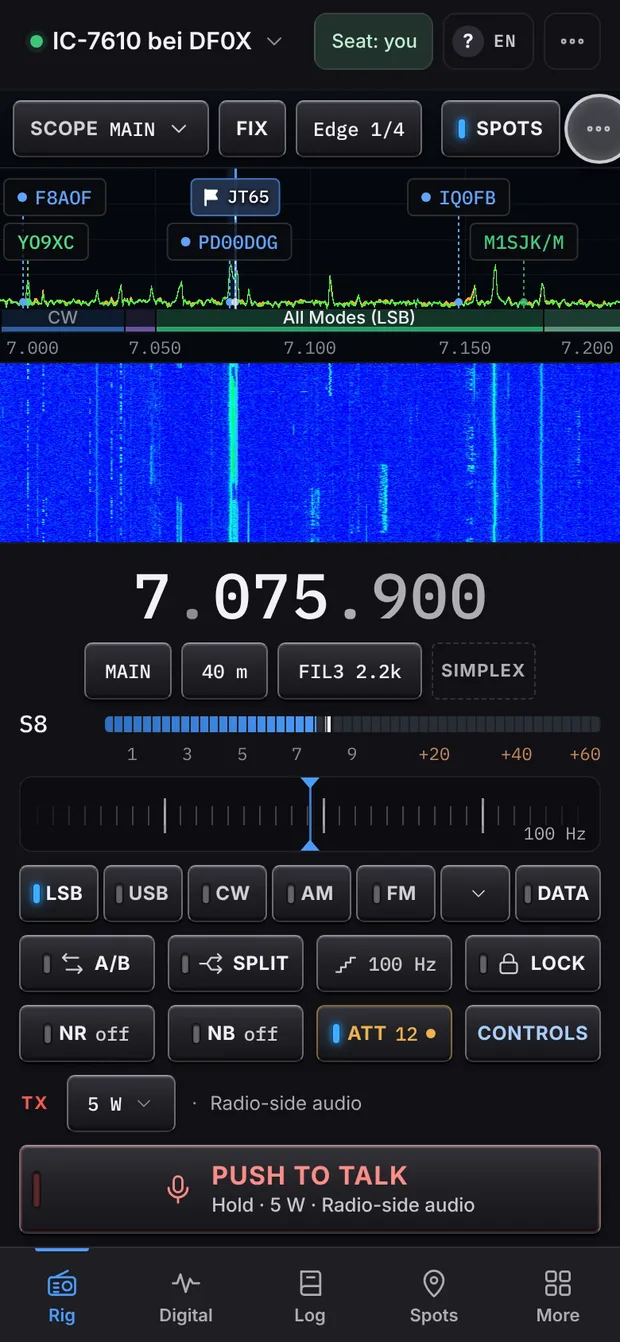
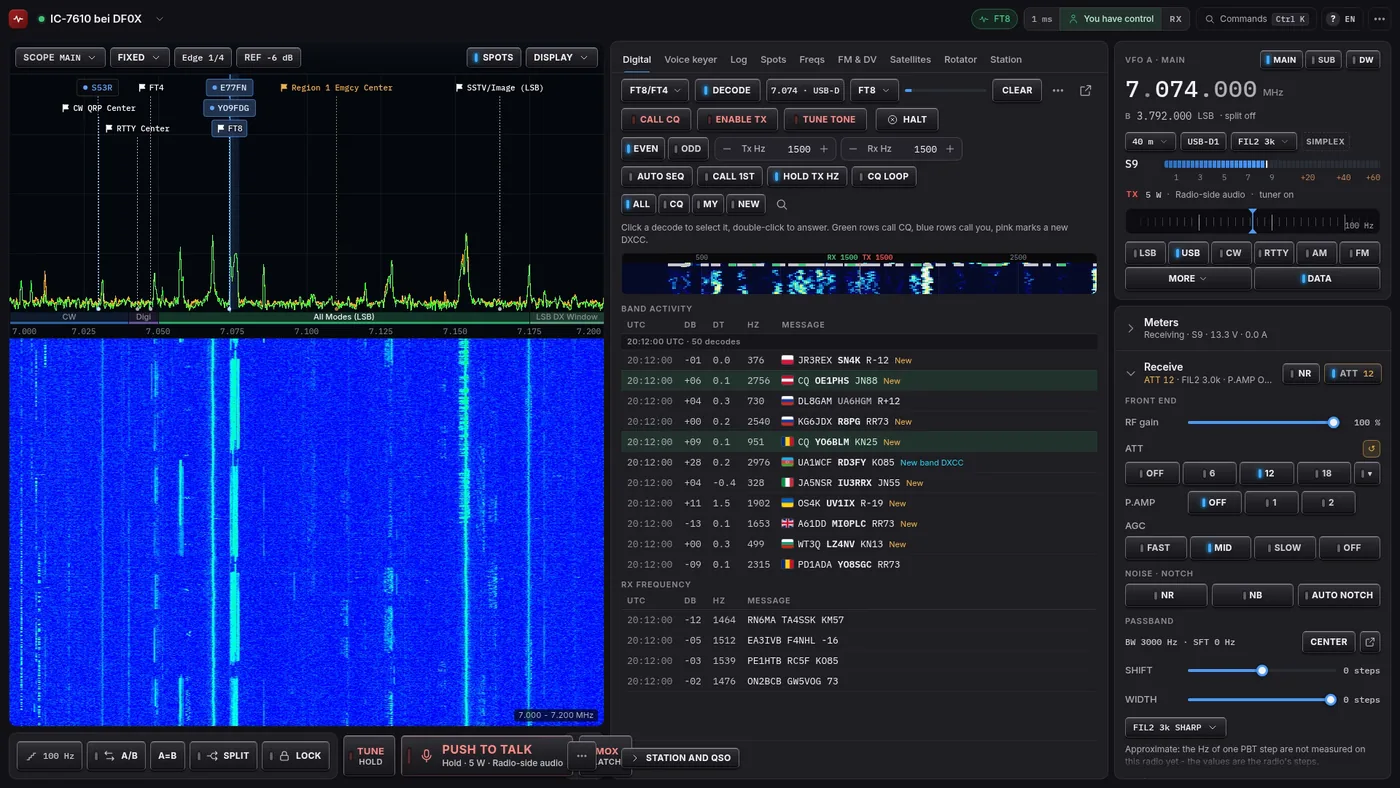
The gateway's own modems decode and send; the browser only shows and keys. FT8, FT4, JT65 and JT9 with auto-sequence, RTTY, SSTV with a shared picture library, FreeDV, Packet and APRS, the text modes Olivia, Contestia, PSK and MFSK, KG-STV and a neural CW decoder with keyer. IDENTIFY names the modes in the passband before you decode anything. HamDRM pictures are there as an experiment.
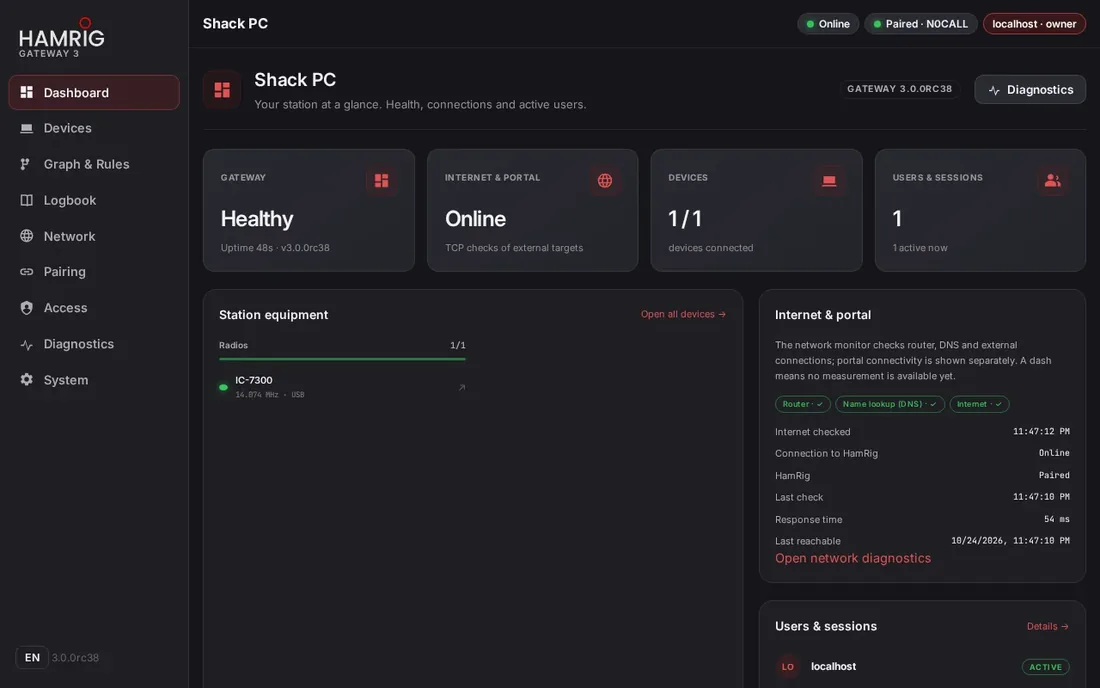
HamRig Gateway 3 runs next to your radio on Windows, Linux, a Raspberry Pi or in a Docker container. Pair it with a six-character code, add your radio and it is online — Icom's network protocol over LAN or WiFi, USB and CI-V for the others. The same gateway carries amplifiers, rotators, antenna switches, network PDUs, RTL-SDR receivers and FlexRadio.
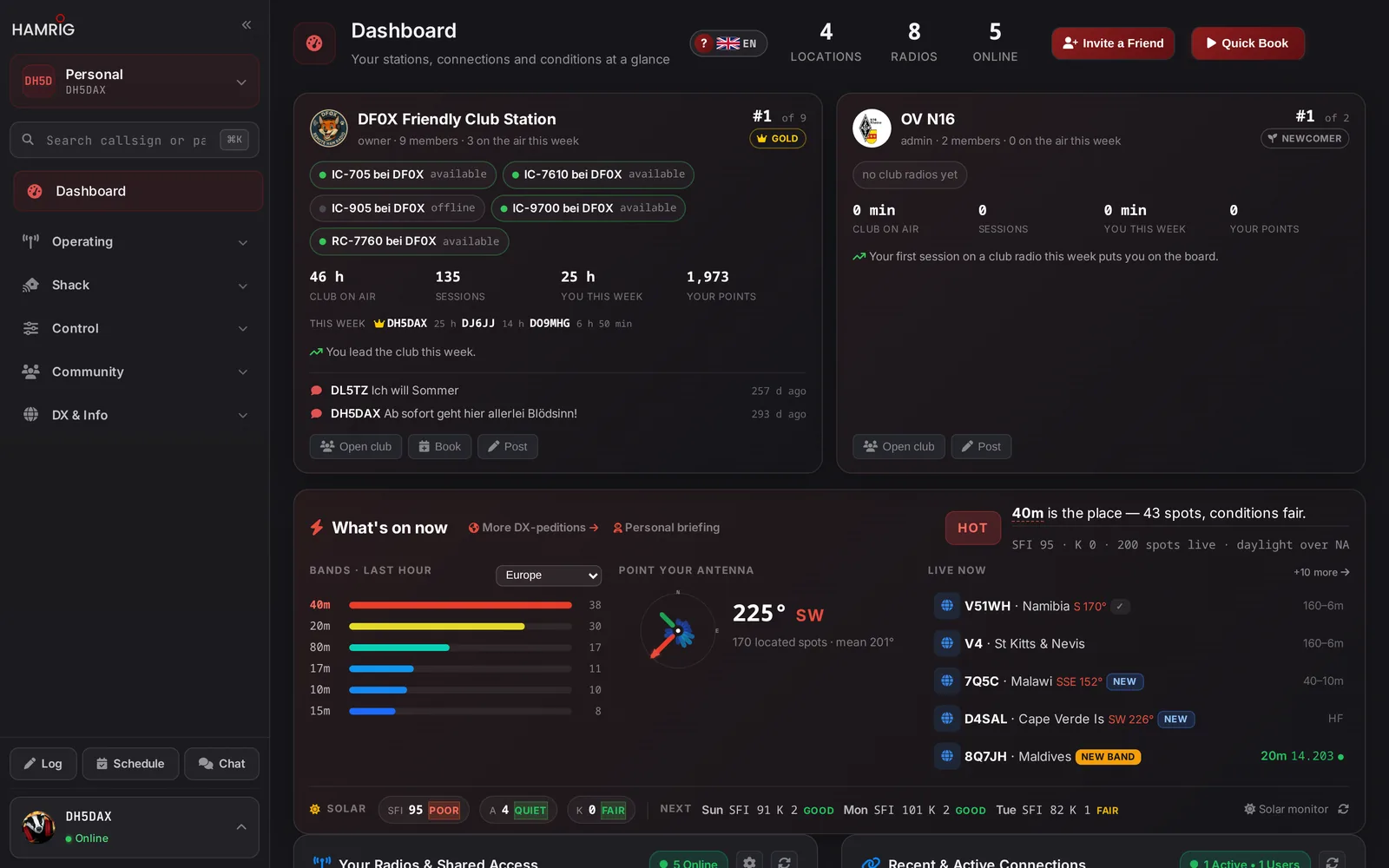
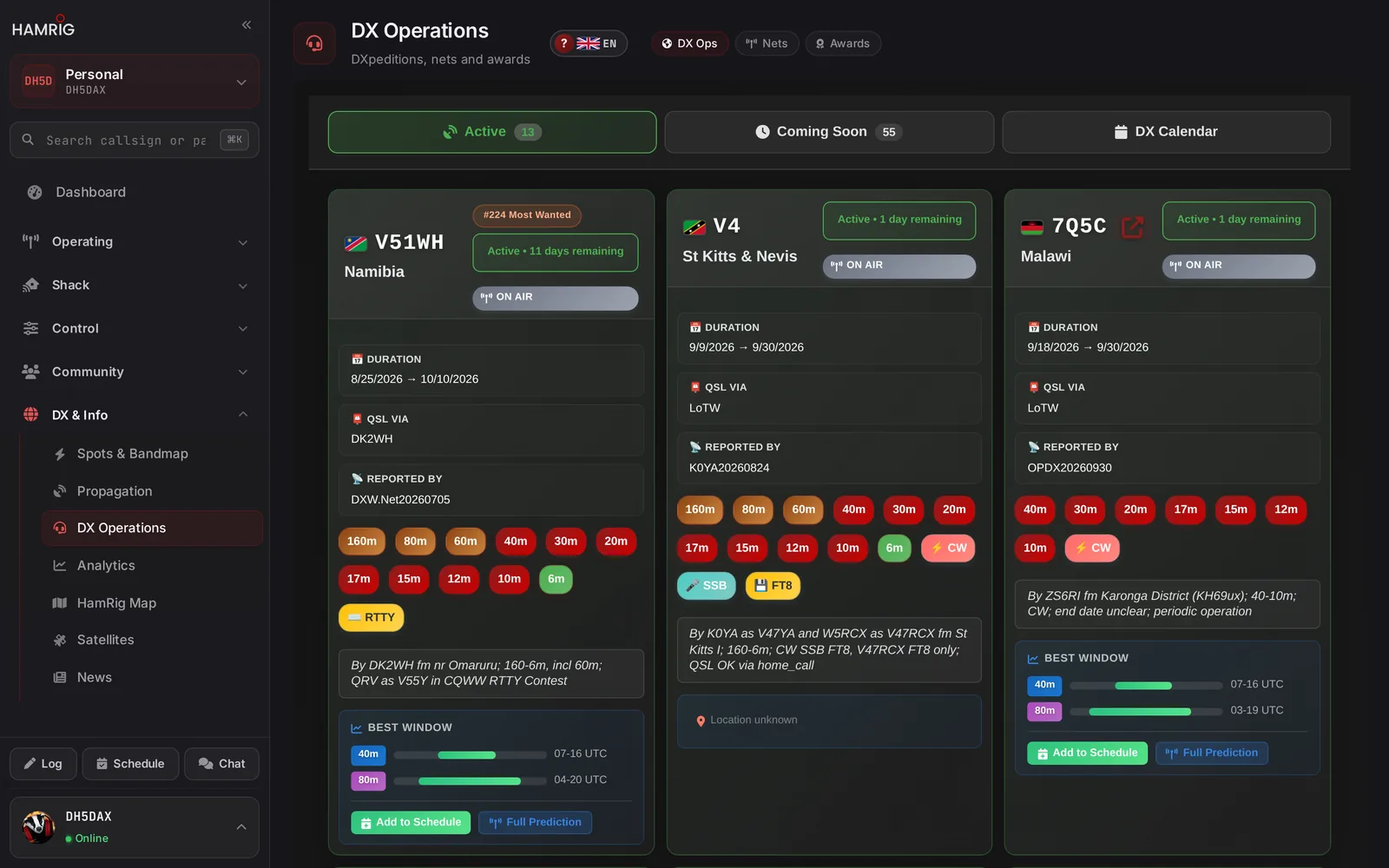
Log in to what's on right now: which bands were busy in the last hour, where to point your antenna, the DXpeditions and nets on the air and today's solar numbers — next to a live card for each of your clubs and the state of your own radios. Know what's open the moment you sit down.
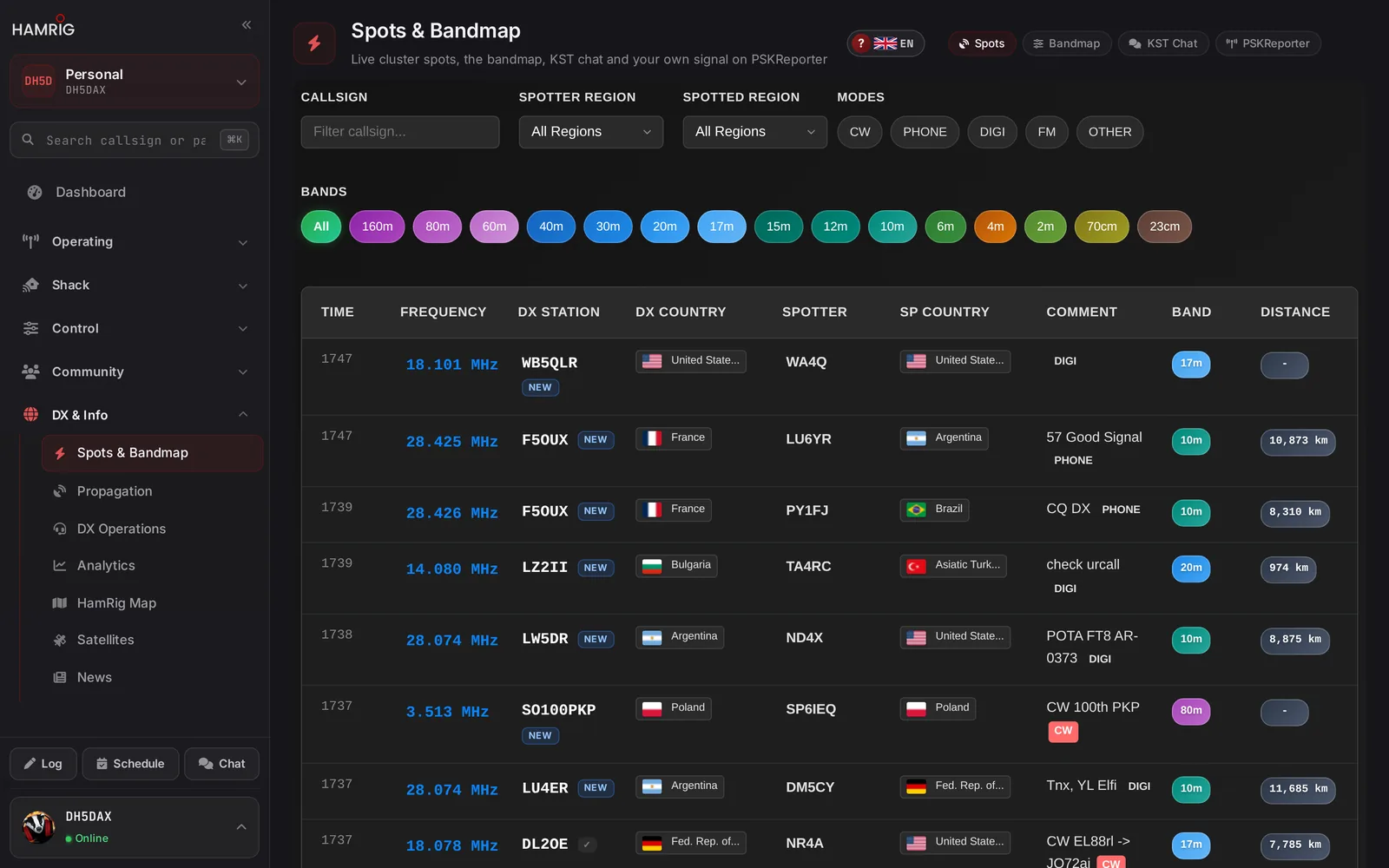
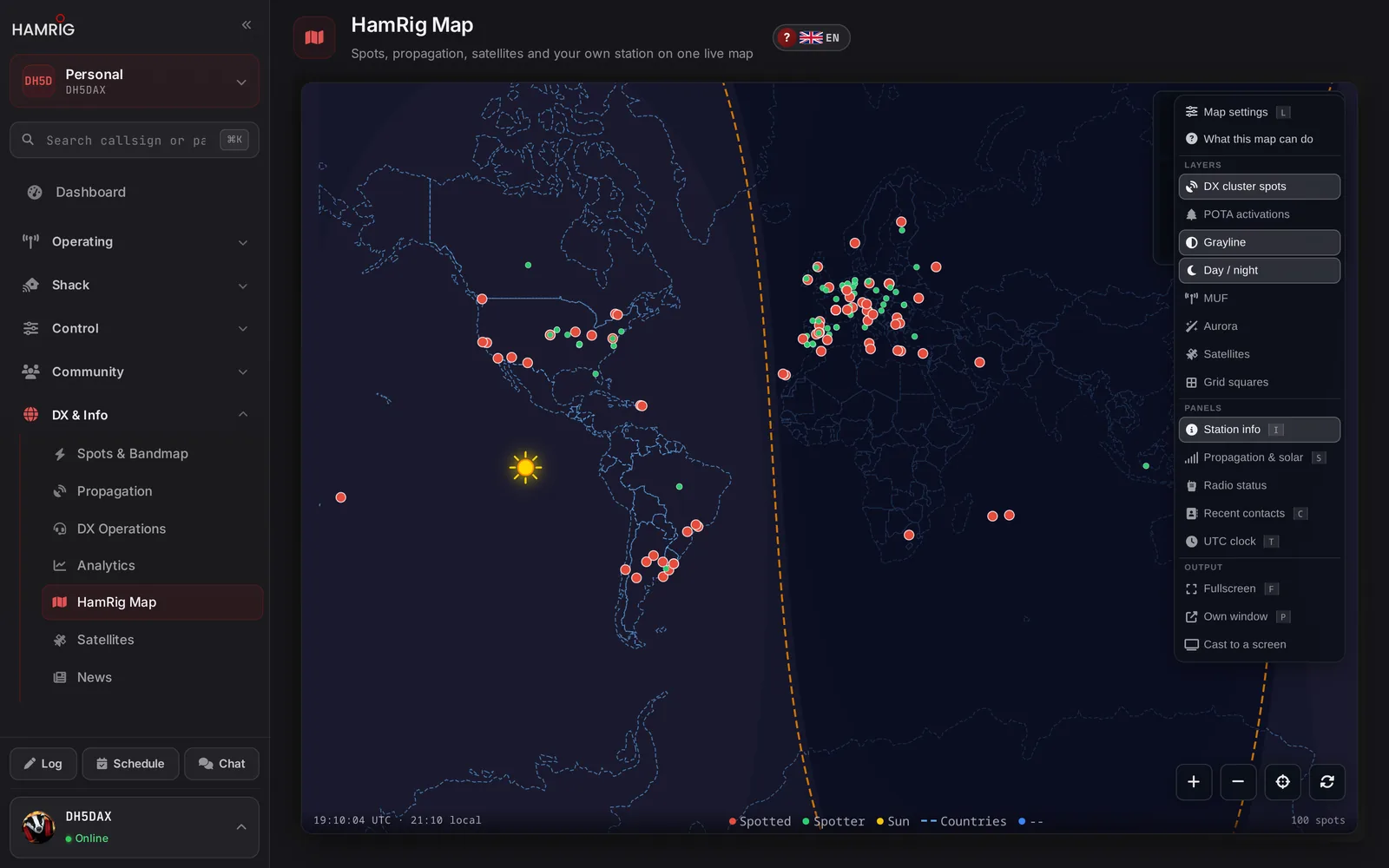
Real-time cluster spots and a bandmap, a world map that zooms down to street level, solar weather, DXpeditions and your own propagation forecasts — unified in a single, fast workbench. Click any spot to tune the radio and pre-fill the log instantly.
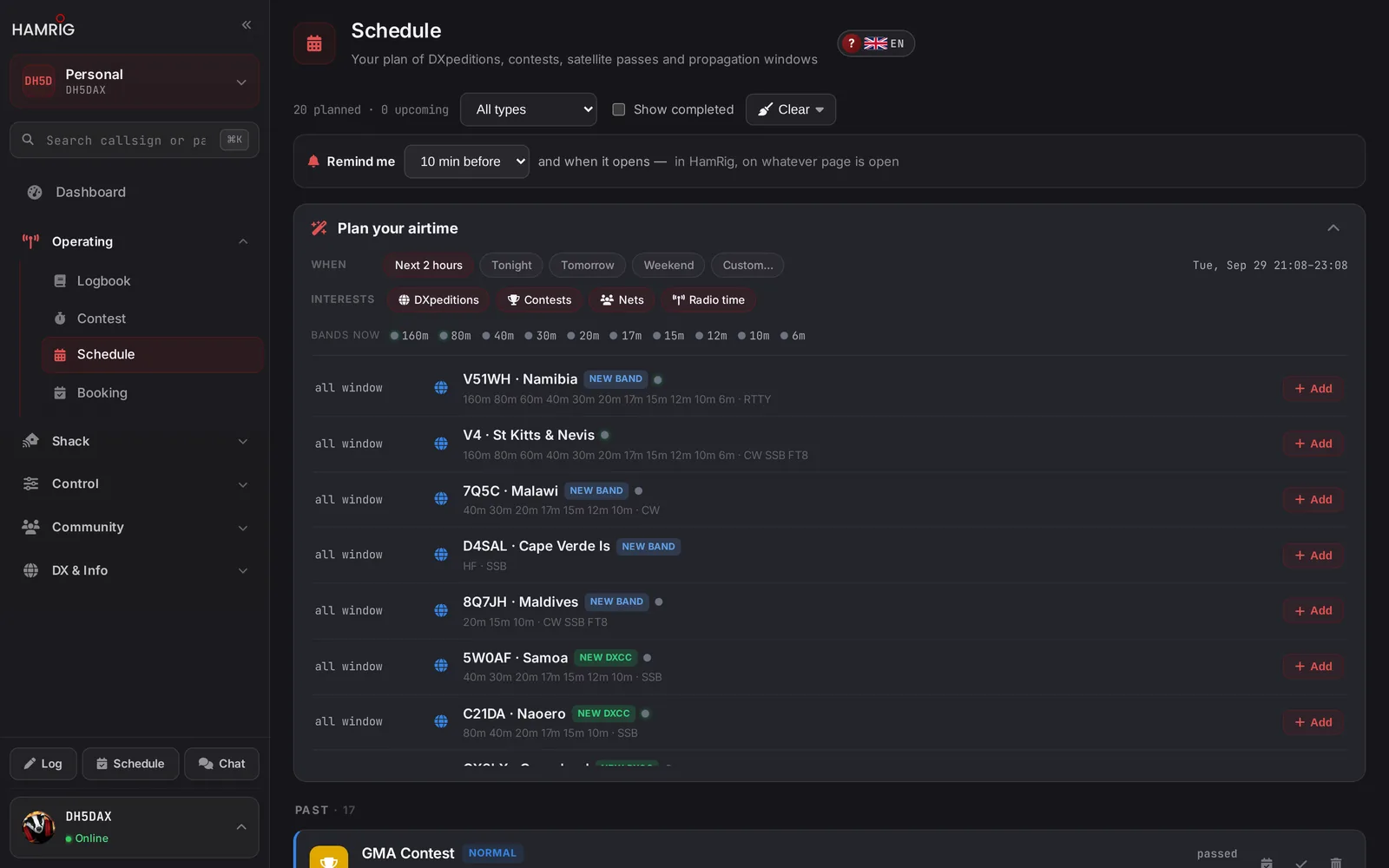
Build a schedule of the DXpeditions, contests and satellite passes you want to work. Each entry carries a live countdown, band-condition indicator and a flyout with propagation prediction, QRZ info and worked-status for that target.
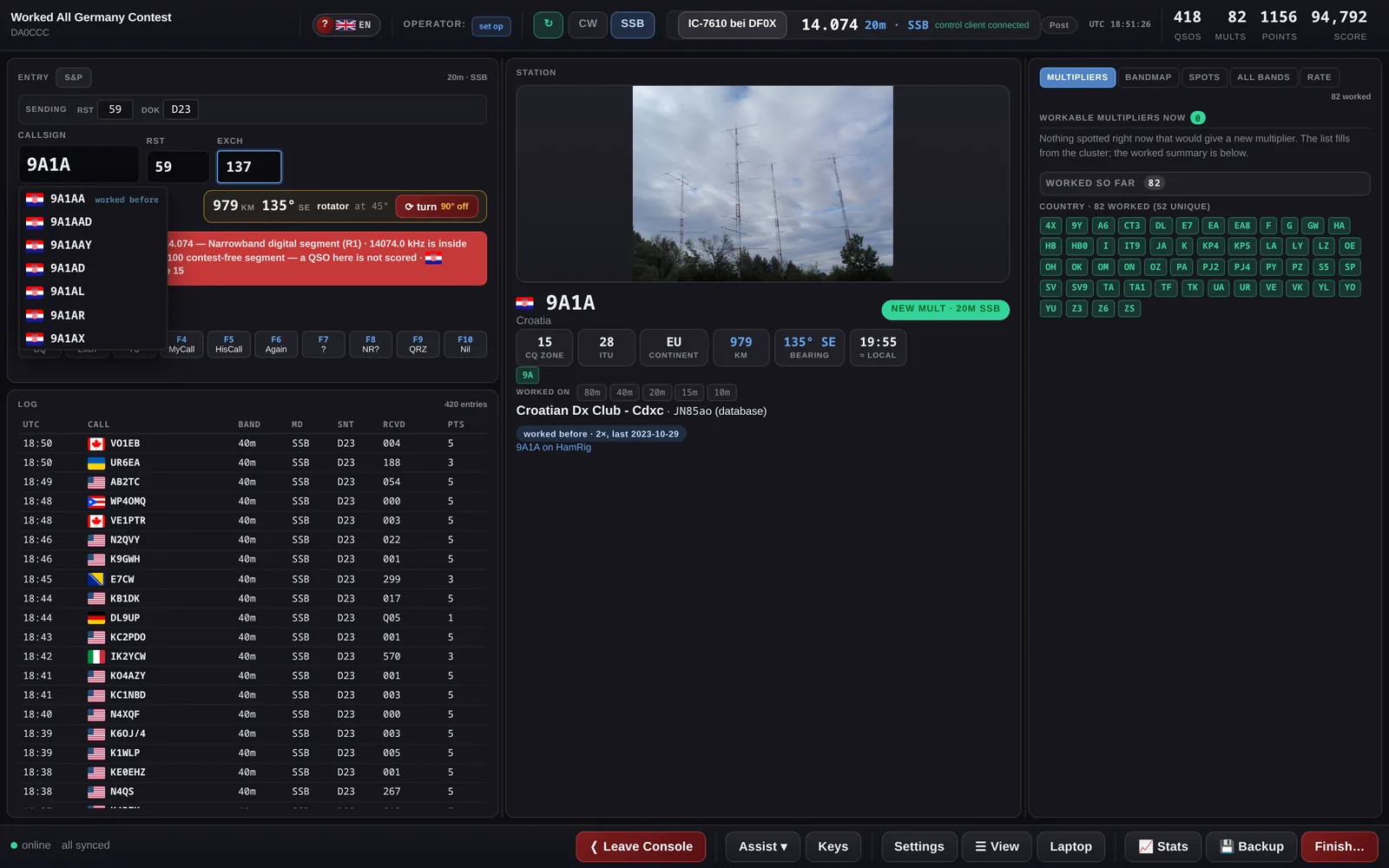
Pick a contest from the calendar, read its rules and run it. The console knows the exchange, dupes, multipliers and score of 73 contest definitions (37 of them with their scoring checked and marked Verified), checks the band plan as you type and warns you before you log a QSO that would not count. CW, SSB and RTTY, with the decoder beside the log, F-key messages, Super Check Partial and a Cabrillo file at the end.
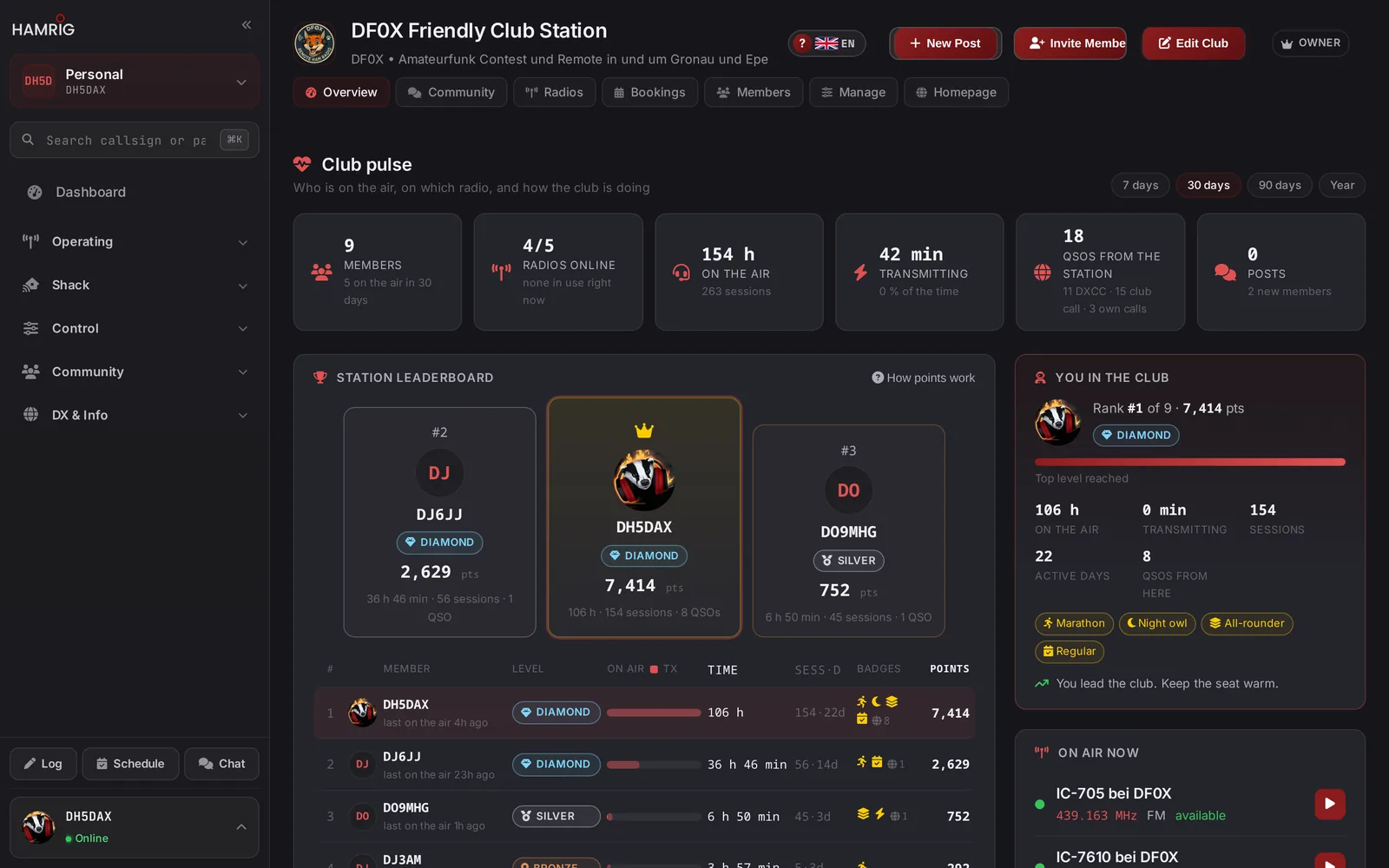
Share the club's radios, book airtime and follow the club's pulse: who is on the air, which radio is busy, a leaderboard with badges and the QSOs made from the station. Club admins sort members into user groups with their own TX rules — bands, power, out-of-band protection, amplifier — for licence classes anywhere in the world.
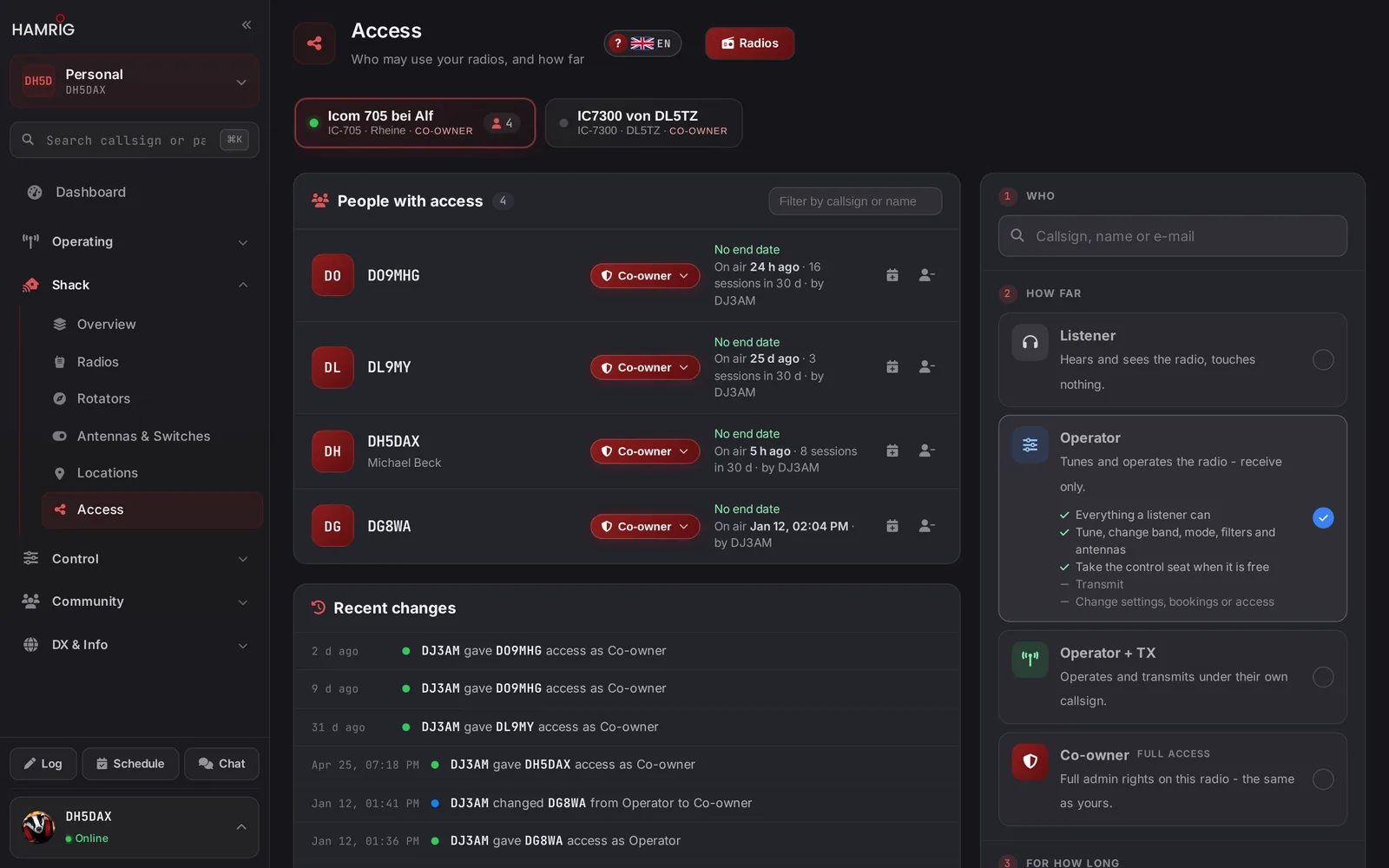
Give a friend access in four clear levels — Listener, Operator, Operator + TX and Co-owner — for a day, a week or for good. One person holds the controls at a time: the others listen, ask for the seat or get it handed over, and you always see who is connected.
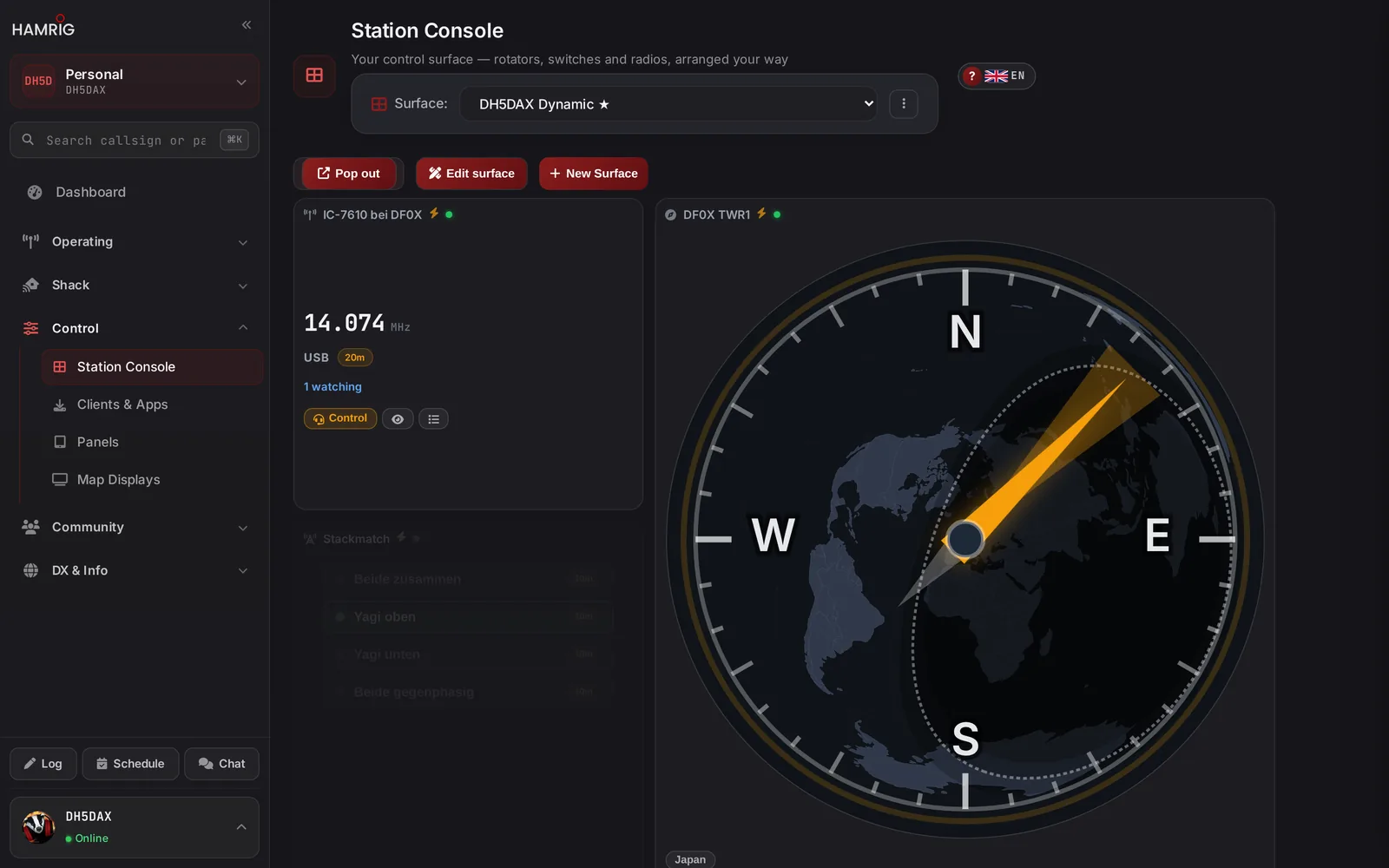
Put radios, rotators, amplifiers, meters, antenna switches, selectors, power strips and clocks (13 tile types) on a surface of your own and pop it out on a spare monitor or a tablet. Amplifiers, power strips, network PDUs and selectors connect through Gateway 3, meters through the HamRig Meter Board. LED matrix displays in the shack show what you choose (touch panels are in preview), and the live map goes on any TV with a six-character pairing code.
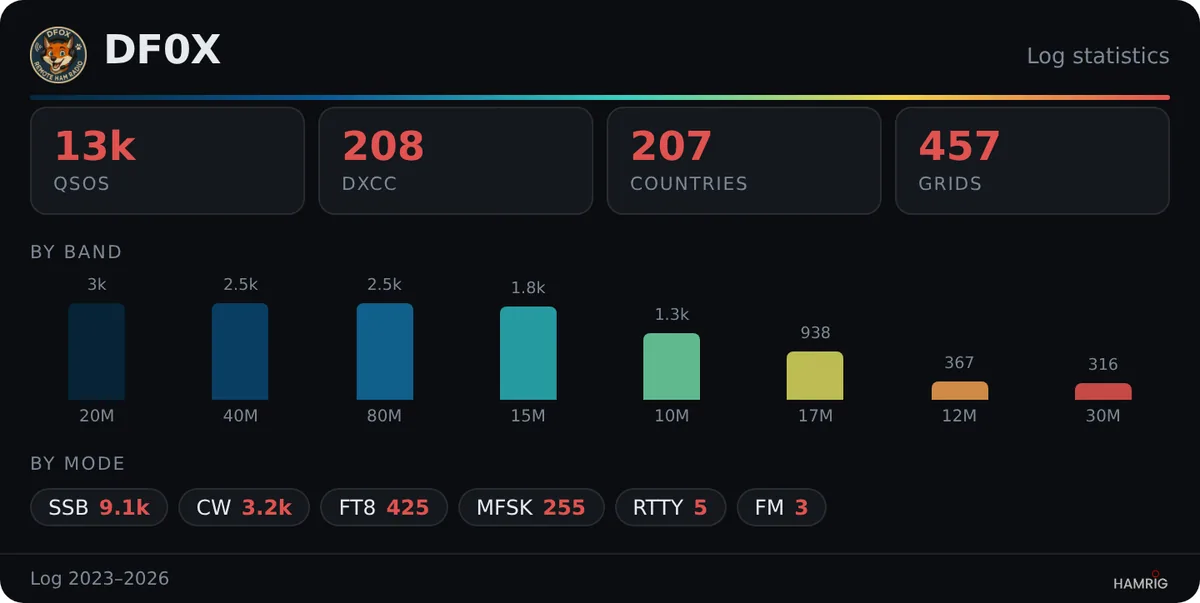
Turn your logbook into a live banner, a statistics card, a DXCC list or a QSO map and put it on your club homepage, in a forum signature or on any other site. Every widget has its own link, and you can revoke it at any time.
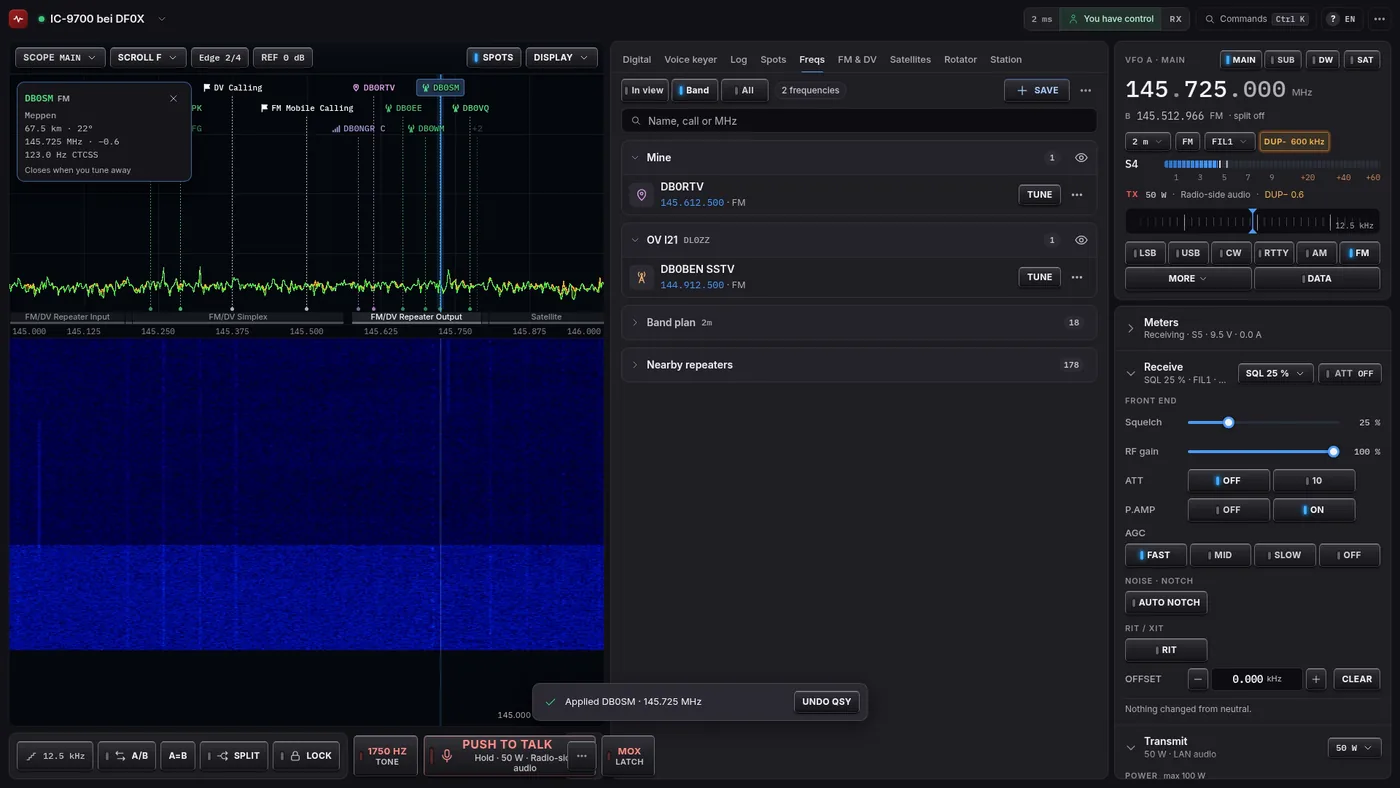
Keep lists of your own frequencies, your clubs' and each radio's — the club net, a sked, the local repeaters, a station's channels. They appear as labels on the spectrum of every radio you operate and tune with one click, with shift, tone and split. Repeaters and beacons from the directory, the band plan of each IARU region and CHIRP import and export are built in.
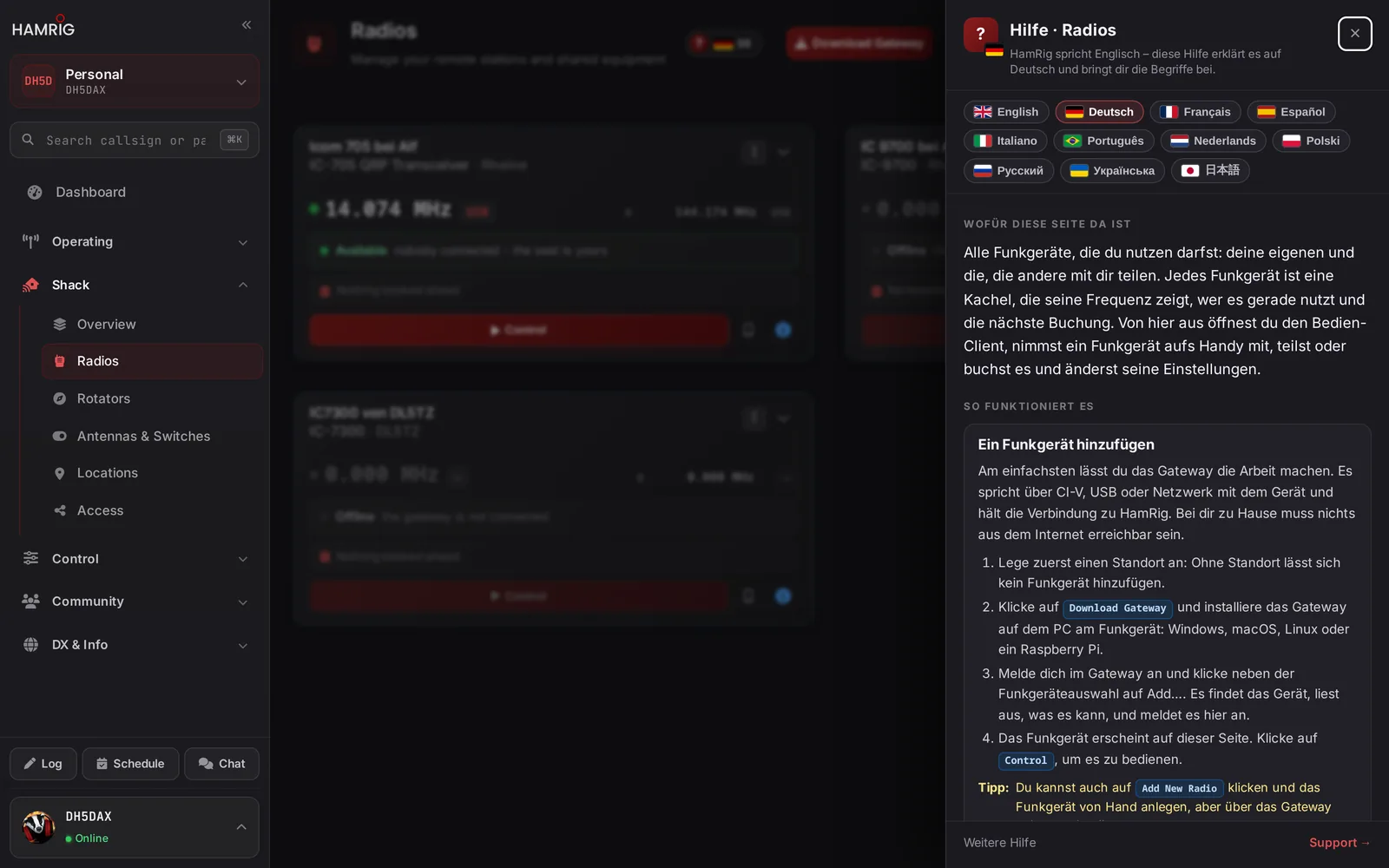
Every page has a help button with your flag. It explains the page in eleven languages and teaches the English words on its buttons, so you know exactly what Control, Booking or Co-owner mean. A step-by-step guide takes you from the download to your radio online.
Forget clunky desktop software. Client 3 draws spectrum and waterfall on a Canvas at 10 fps, up to 25 fps, from a compact binary stream that keeps the bandwidth low, with smart smoothing and digital phosphor. Dual scope on radios with two receivers, the radio's own fixed edges, band stacking registers, twin PBT in a passband window — and one control seat per radio, so everybody knows who is on the dial.
The bridge between your hardware and the cloud. Gateway 3 runs silently on your shack PC, a Raspberry Pi or in Docker, pairs with a six-character code and handles audio and CAT control with minimal latency. A step-by-step guide with screenshots and video gets your radio online in minutes.
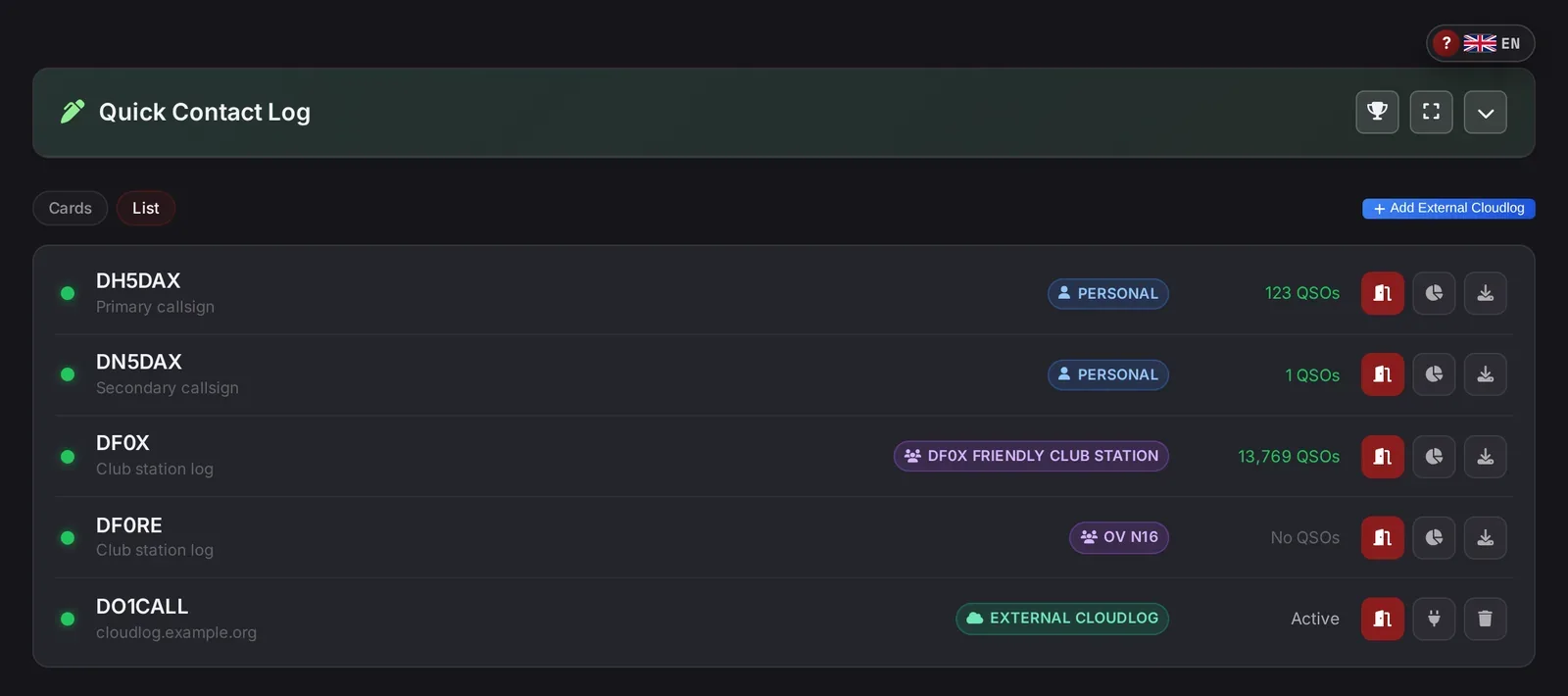
All your logs on one page: your personal logbook, the club stations' logs and external Cloudlog logbooks, each marked with where it comes from. Every log form in HamRig — the client, the contest console, the quick log — knows the station you clicked and what a QSO with it would bring.
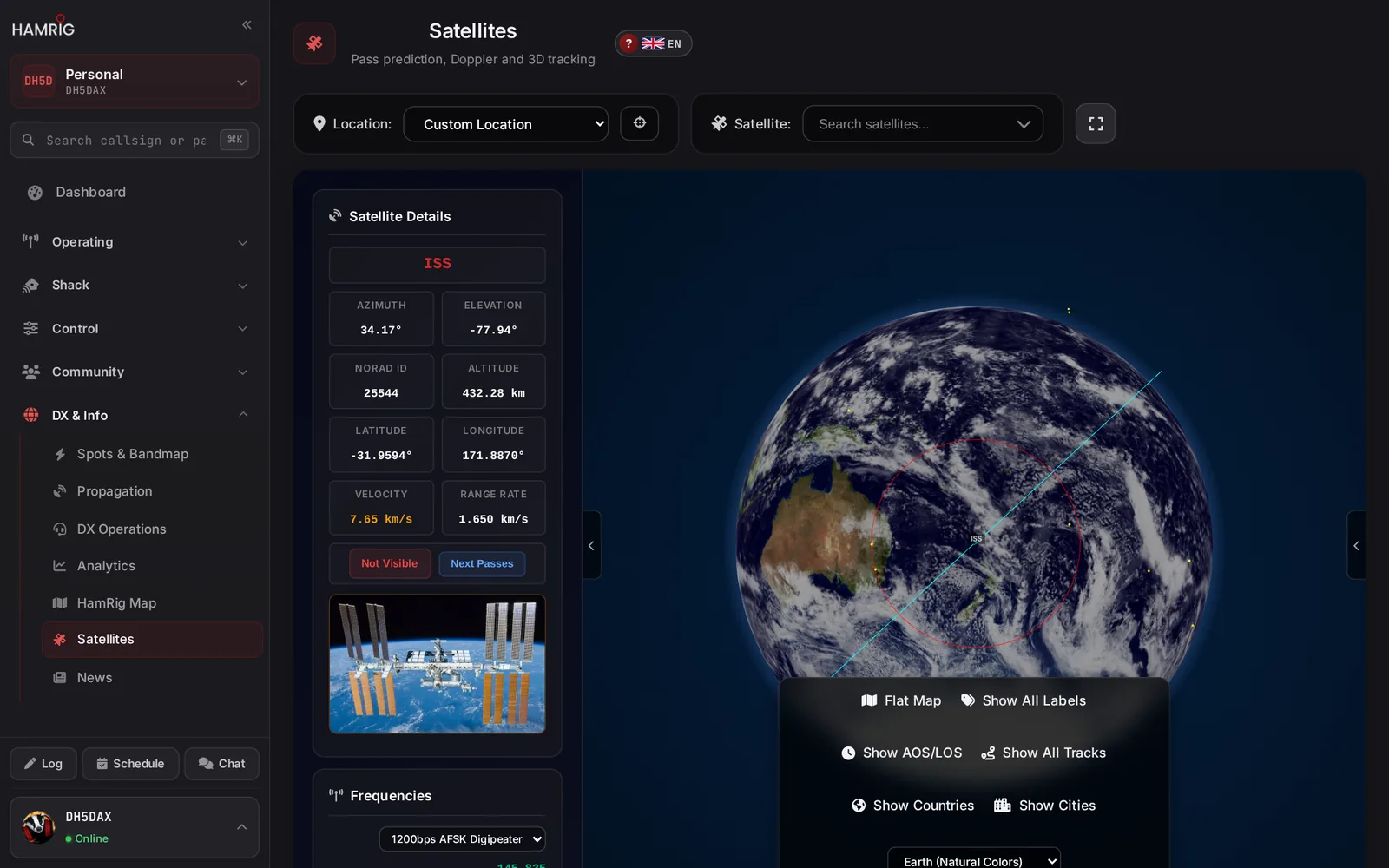
Pass predictions and a live globe for over forty amateur satellites, with the Doppler shift already corrected. Let a radio and your rotator follow a pass, book a good one on your radio straight from its card, and work the satellite in the console: full duplex with Doppler on uplink and downlink, the downlink waterfall, FIND ME to spot your own signal, NORMAL/REVERSE transponders and a pass recorder. Live status from AMSAT and SatNOGS, every hour.
One IC-9700 works full duplex in its SAT mode over LAN with Gateway 3.0.14 — otherwise two radios, or a radio and an RTL-SDR as the downlink.
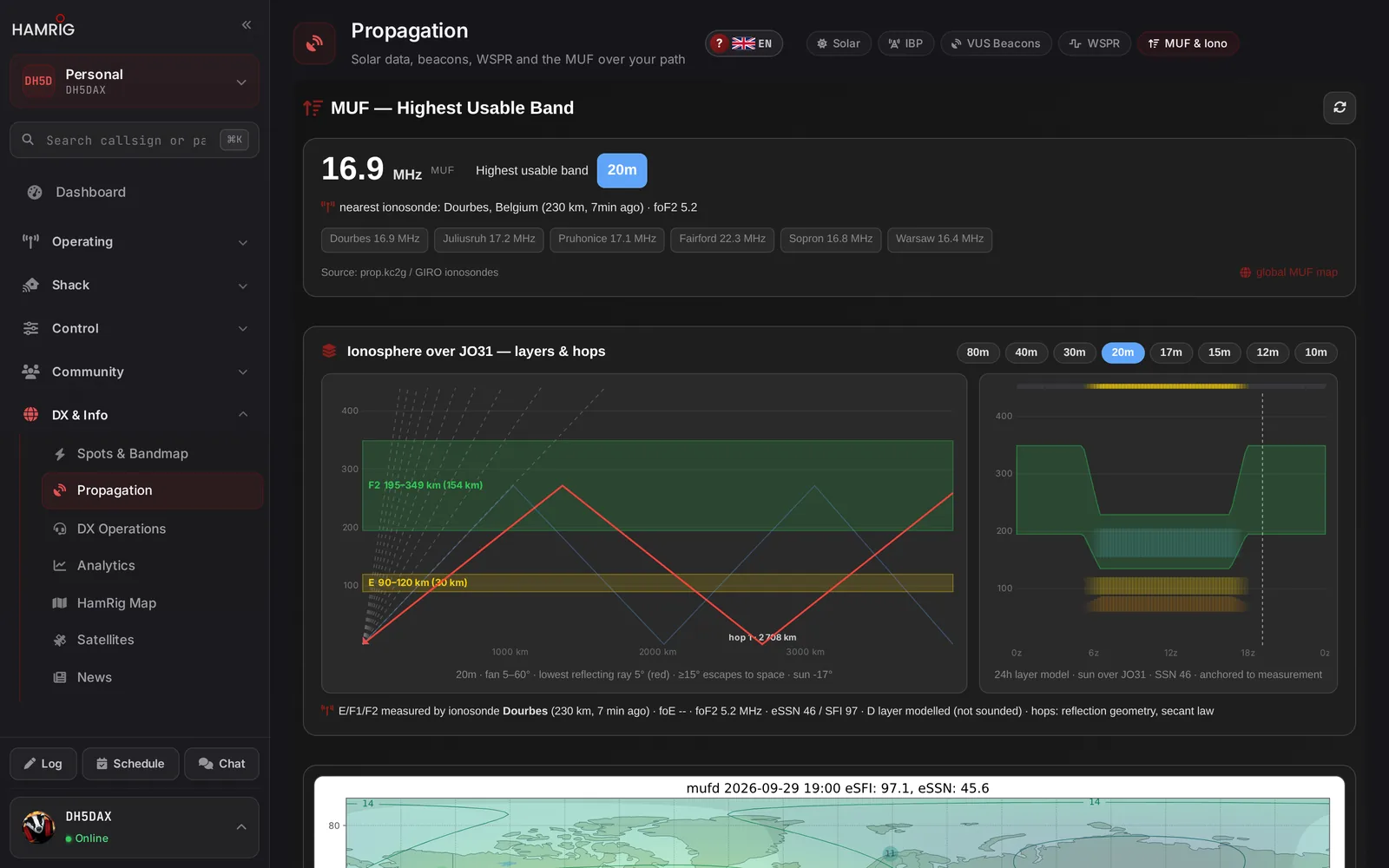
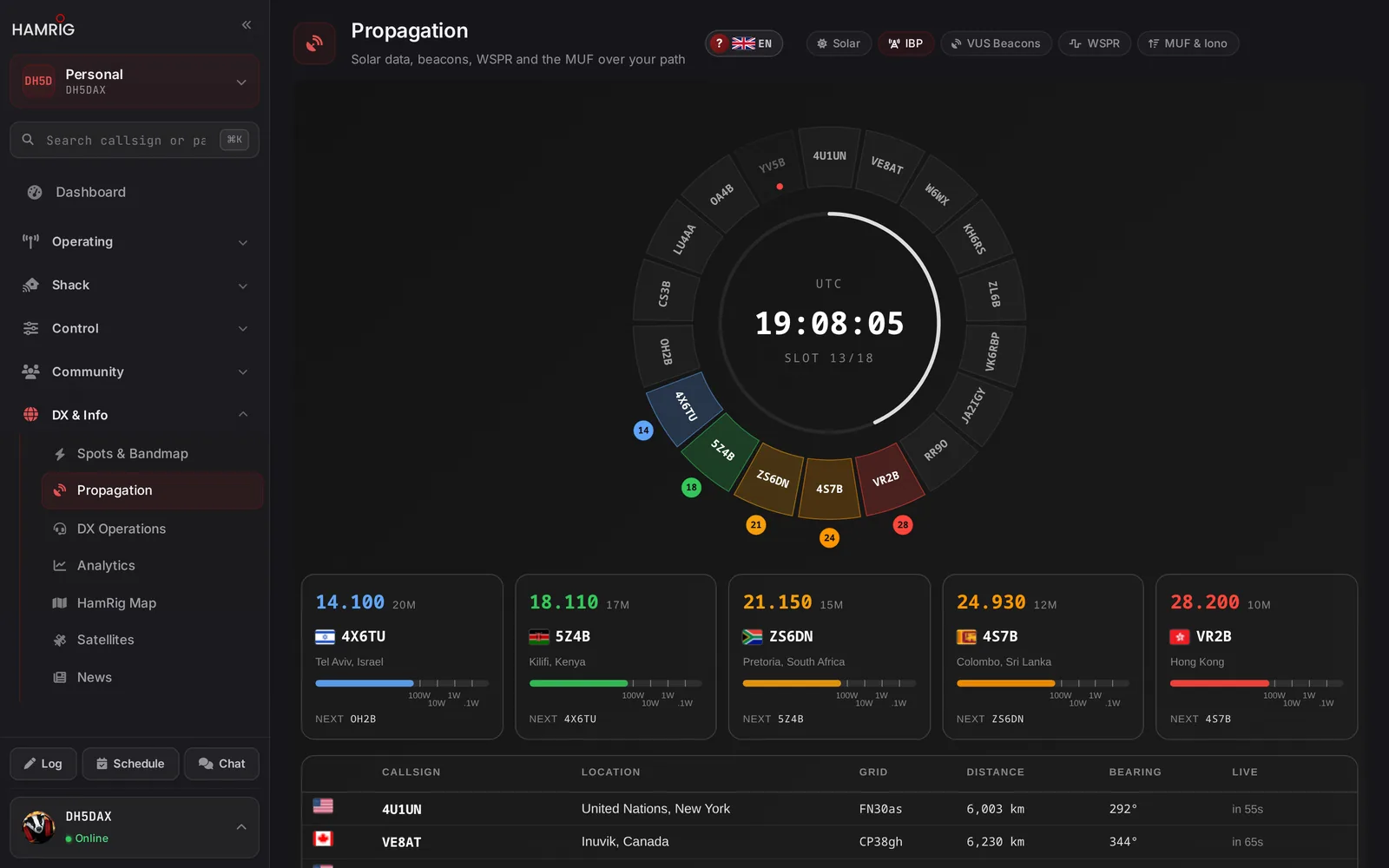
Hunt DX like never before. HamRig integrates a beautiful and powerful DX Cluster with advanced filtering and live map visualization. Keep track of conditions and targets with dedicated tabs for Solar Data, MUF & Ionosphere from live ionosondes, your own SNR maps from WSPR-calibrated VOACAP, the IBP beacon clock, VHF propagation (Es, meteor scatter, EME), DXpeditions and amateur radio news from around the world.
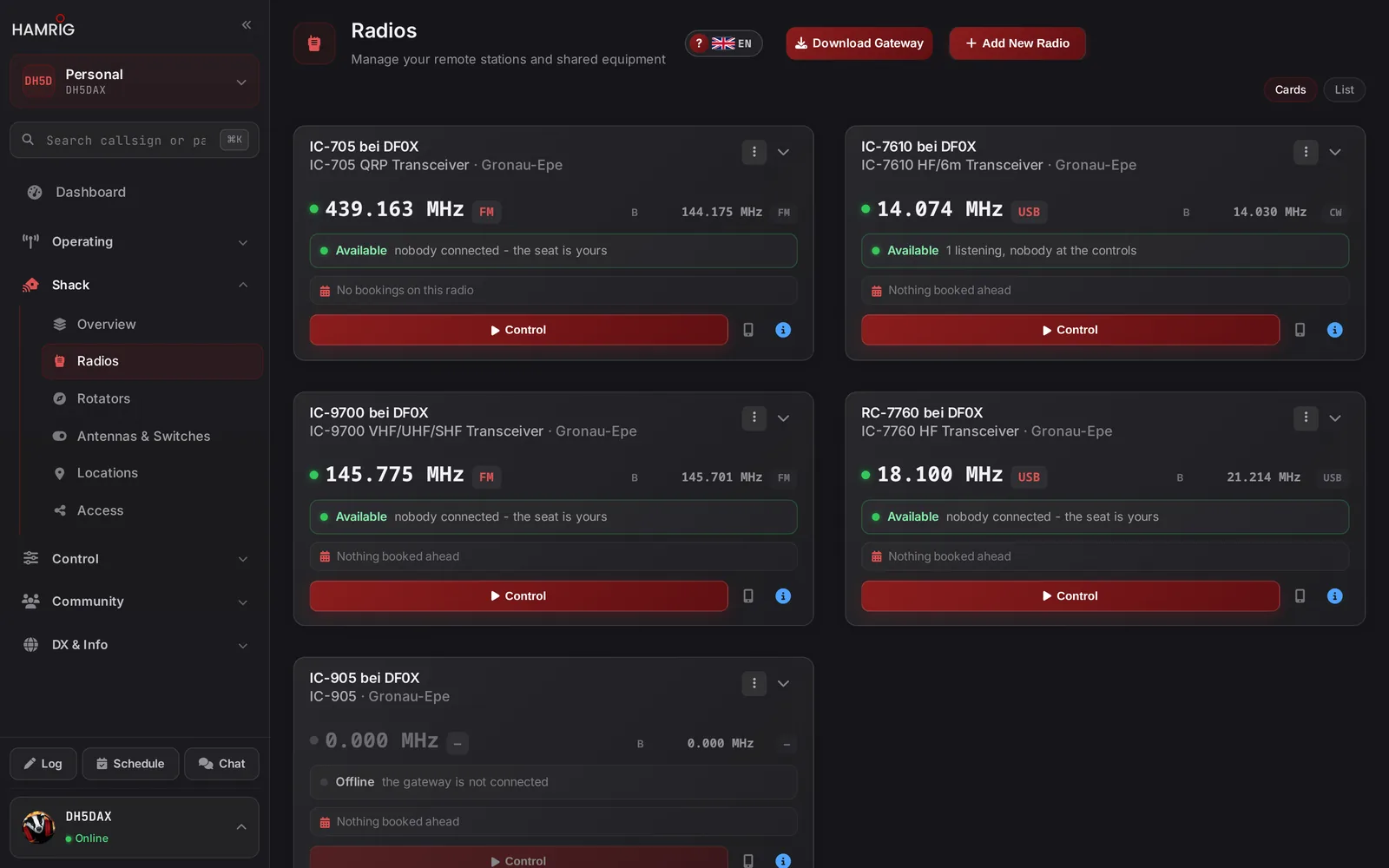
Take command of your assets. Manage personal and club stations with professional tools designed for maximum efficiency and collaboration.
Repeater operation made effortless. Pick from the repeaters around the radio, from the band plan or from your own lists, and HamRig sets split, tone and offset in one go. The scanners find activity on any channel raster and show which repeaters are busy.
The D-STAR side lists the repeaters near the radio with their modules, links to repeaters and reflectors, routes to a callsign, has an echo test and a heard list — tap a call to call back — and shows D-PRS positions.
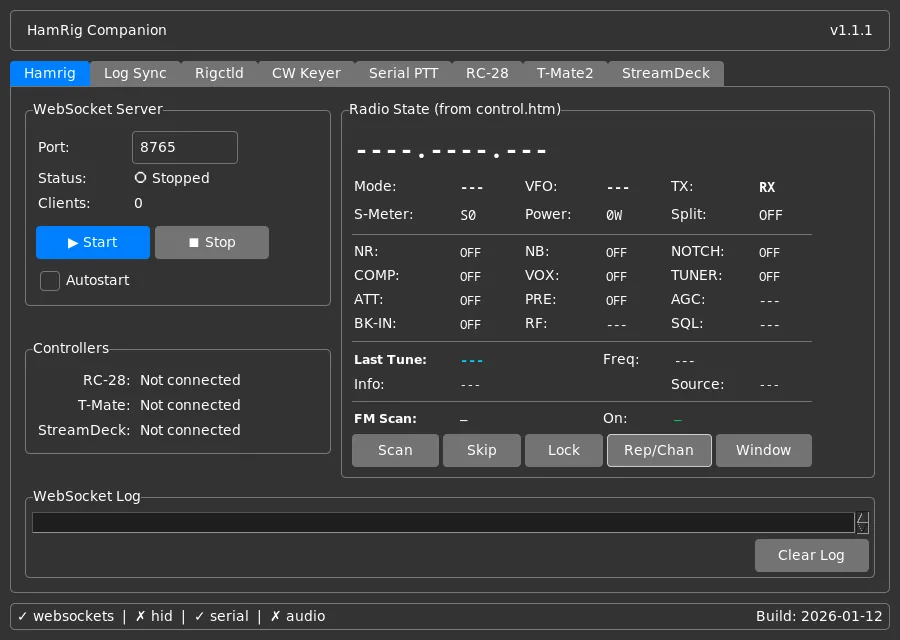
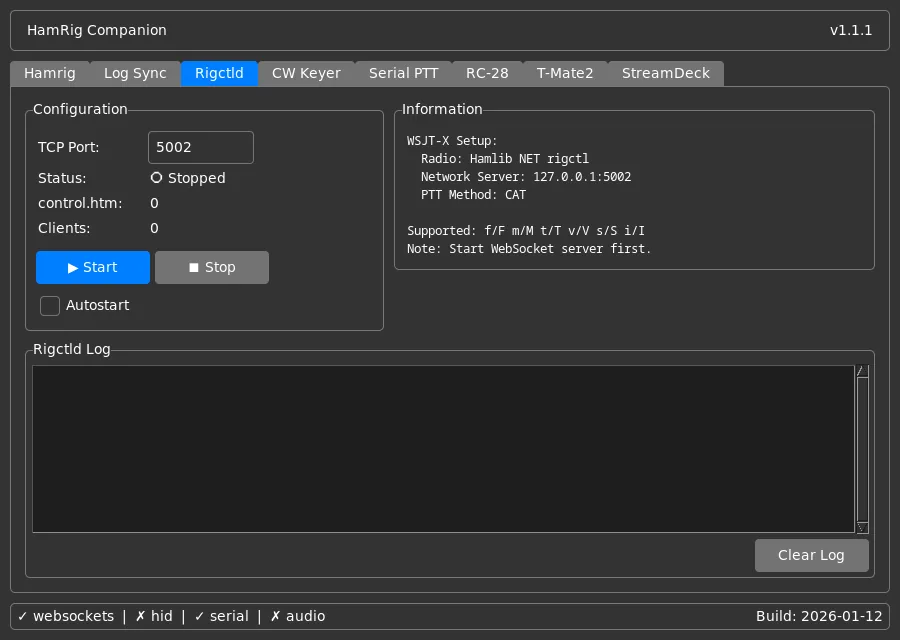
Bridge your physical shack hardware to the cloud. The Companion App runs locally on your PC and connects USB controllers, a Stream Deck, your paddle and legacy software to your remote HamRig session.
Get that tactile feel back. Native support for Icom RC-28 and Elad Tmate-2 controllers for VFO tuning and PTT, and a Stream Deck for the keys you press most.
Connect your paddle to the Companion App. We emulate a K1EL Winkey interface, allowing local loggers like N1MM to key the remote radio with perfect timing.
The Companion App acts as a local rigctld server. Connect WSJT-X, FLDigi, or any Hamlib-compatible software to control your remote HamRig session as if it were a local radio.
Zero port forwarding. Zero VPN configuration.
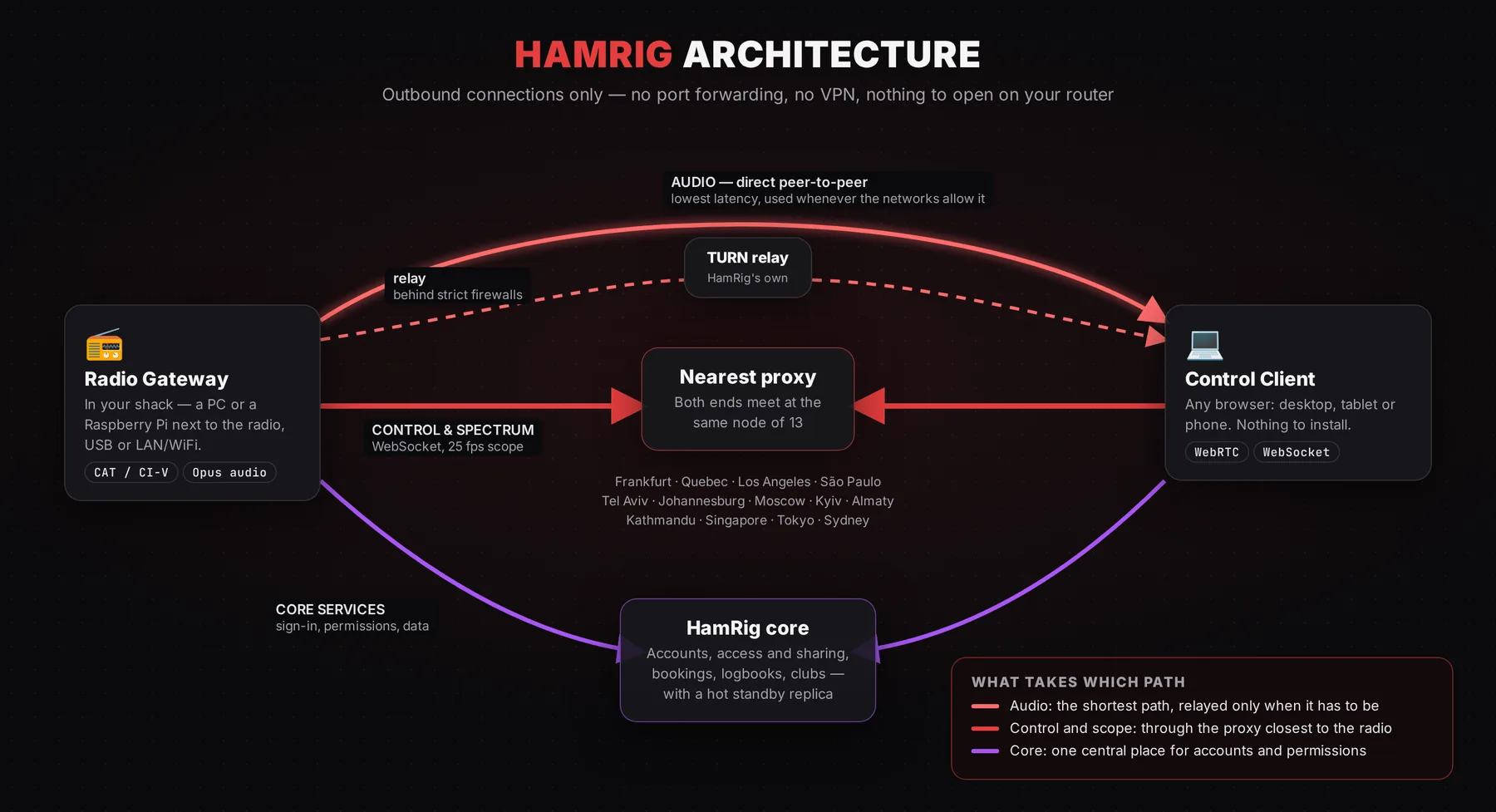
Your radio's gateway connects outwards to one of 13 relay servers, linked hub-and-spoke to the HamRig core, and your browser meets it there. Audio goes peer-to-peer over WebRTC when possible, otherwise through HamRig's own TURN relay. The test below only measures the round trip from your browser to each server.
Bring your shack into the browser today. Setup takes about 15 minutes.
Get Started FreeEight Icom models work through Gateway 3 — SSB, AM, FM, CW, RTTY and the data modes — the IC-7850/51 not yet tested. FlexRadio FLEX-6000 and FLEX-8000 connect through Gateway 3 as well, and an RTL-SDR stick as a receiver. Dual watch and satellite mode depend on the model; every radio can be the uplink or the downlink of a satellite station.
| Radio Model | SSB/AM/FM | Dual Scope/Watch | CW Keyer | Repeater (FM) | Satellite | Network/LAN |
|---|---|---|---|---|---|---|
| IC-7300 | ● Native | - | ● Native | ● Native | ● In a station | ✕ (USB Only) |
| IC-7300 MK2 | ● Native | - | ● Native | ● Native | ● In a station | ● Native (LAN, Gateway 3) |
| IC-7610 | ● Native | ● Native | ● Native | ● Native | ● In a station | ● Native (LAN) |
| IC-705 | ● Native | - | ● Native | ● Native | ● In a station | ● Native (WiFi) |
| IC-9700 | ● Native | ⚠ Experimental | ● Native | ● Native | ● Native (SAT mode, LAN) | ● Native (LAN) |
| IC-905 | ● Native | - | ● Native | ● Native | ● In a station | ● Native (LAN) |
| IC-7760 | ● Native | ● Native | ● Native | ● Native | ● In a station | ● Native (LAN) |
| IC-7850 / 51 Untested | ○ Untested | ○ Untested | ○ Untested | ○ Untested | ○ Untested | ○ Untested |
| FlexRadio FLEX-6000 / 8000 New | ● Native | - | ○ Untested | ○ Untested | ● In a station | ● Native (LAN, Gateway 3) |
| RTL-SDR Receiver | ● Receive only | - | - | - | ● Downlink receiver | ● USB on the gateway |
The proprietary Icom network protocol is built into Gateway 3. You can connect your IC-705, IC-7610, IC-7760, IC-9700 and IC-905 directly via LAN or WiFi, and the IC-7300 MK2 via LAN — no USB cable, no RS-BA1.
Put your radio in the attic, the basement, or the garden shed. As long as it has power and WiFi/LAN, HamRig can control it.
Available NowAn idea, not a feature: renting your contest-grade station to vetted operators during downtime, with your own rules, prices and policies on who may use it. None of it is built yet and there is no payment processing. What works today is sharing your station with bookings and access levels, and you keep full control.
Rotators, antenna switches, selectors, power strips and network PDUs are live today through Gateway 3, on a station console of your own, with the HamRig Meter Board for power and SWR. Anything that switches power asks first.
Live today: club stations, shared logbooks, bookings, user groups with TX rules and a public homepage for every club.
Connect physical USB knobs (RC-28), Tmate-2, a Stream Deck and CW paddles. Includes WSJT-X integration via rigctld. Learn more.
With Gateway 3, the Icom IC-PW2 and the SPE Expert 1.3K-FA are live in your browser: power, SWR and temperature, Operate/Standby, tuner and antennas — and a club's TX rules decide who may use the amplifier.
Invite-only access for the first testers: core testing of the relay network and basic rig control functions.
Open registration is live. Full platform capabilities unlocked, including club management tools. Create your free account.
Gateway 3 is the stable gateway on Windows, Linux, Raspberry Pi and Docker, and Client 3 is the one client for phone, tablet and desktop. Gateway 2.x and HamRig Rotor have retired into it.
"Das sieht schon echt gut aus."
"Alter Schwede, da geht mir einer ab!"
"Boah, und ich darf nicht, jetzt muss ich echt meine Lizenz upgraden."
Registration is open to everyone. Create your free account and get on the air in minutes — no invite code required.
By signing up, you agree to our Terms of Service. No spam, just ham.